
Markdown documents are text files with formatting hints to make them readable. When you view a program checked-in at GitHub, for example, the README file is usually in Markdown format (with file extension .md, like README.md).
Recently, I was dealing with a bunch of Markdown documents, including ones I authored for personal use, that I searched for editors that can render the formatting of Markdown documents. I found the Typora editor suited my needs.
Typora made it easy to author formatted Markdown documents because it renders the formatted document. Here’s a screenshot of a Markdown document containing text copied from a browser:
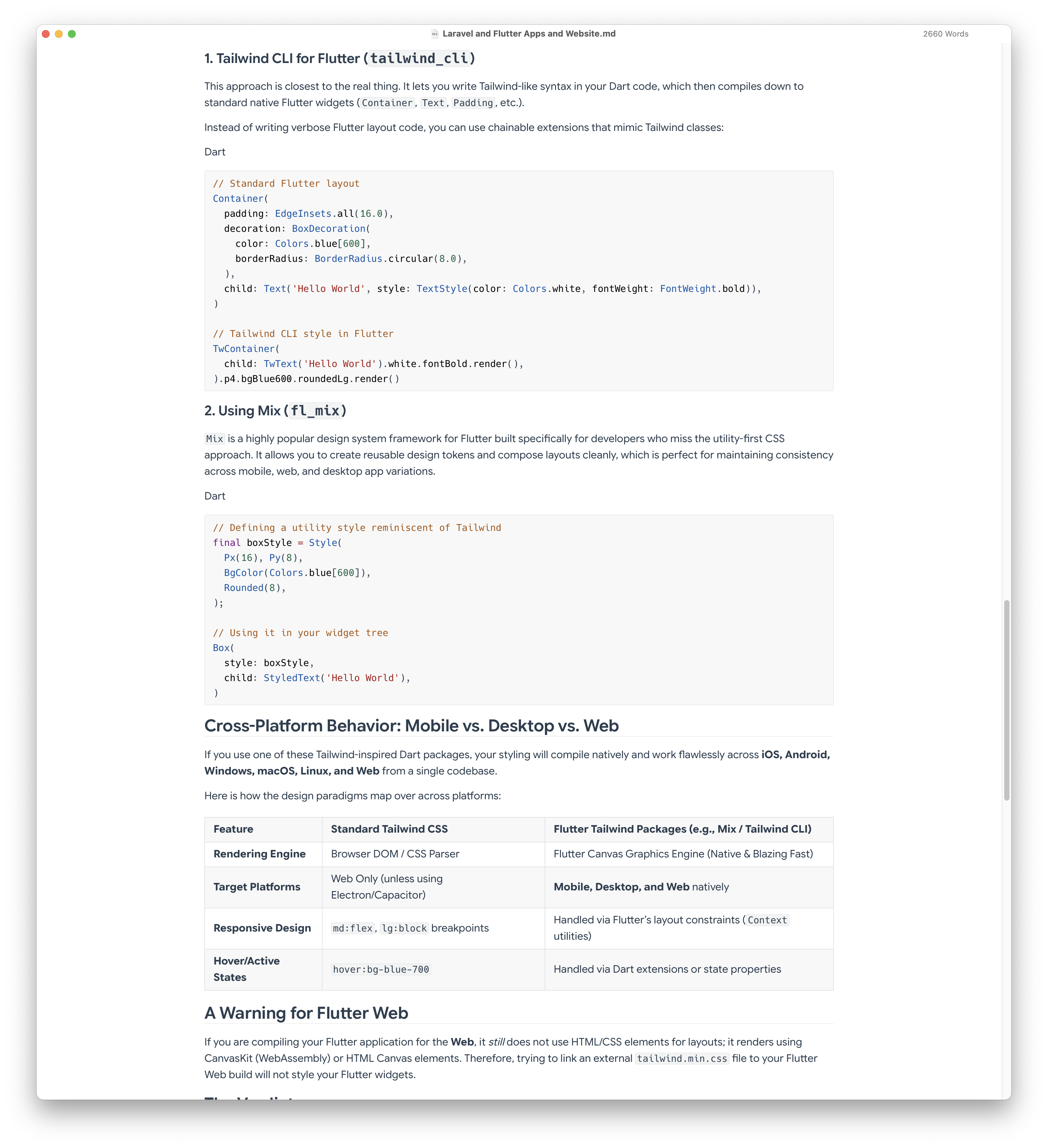
You can have syntax highlighting for code, tables, and even diagrams (via the Mermaid diagramming tool included in Typora).
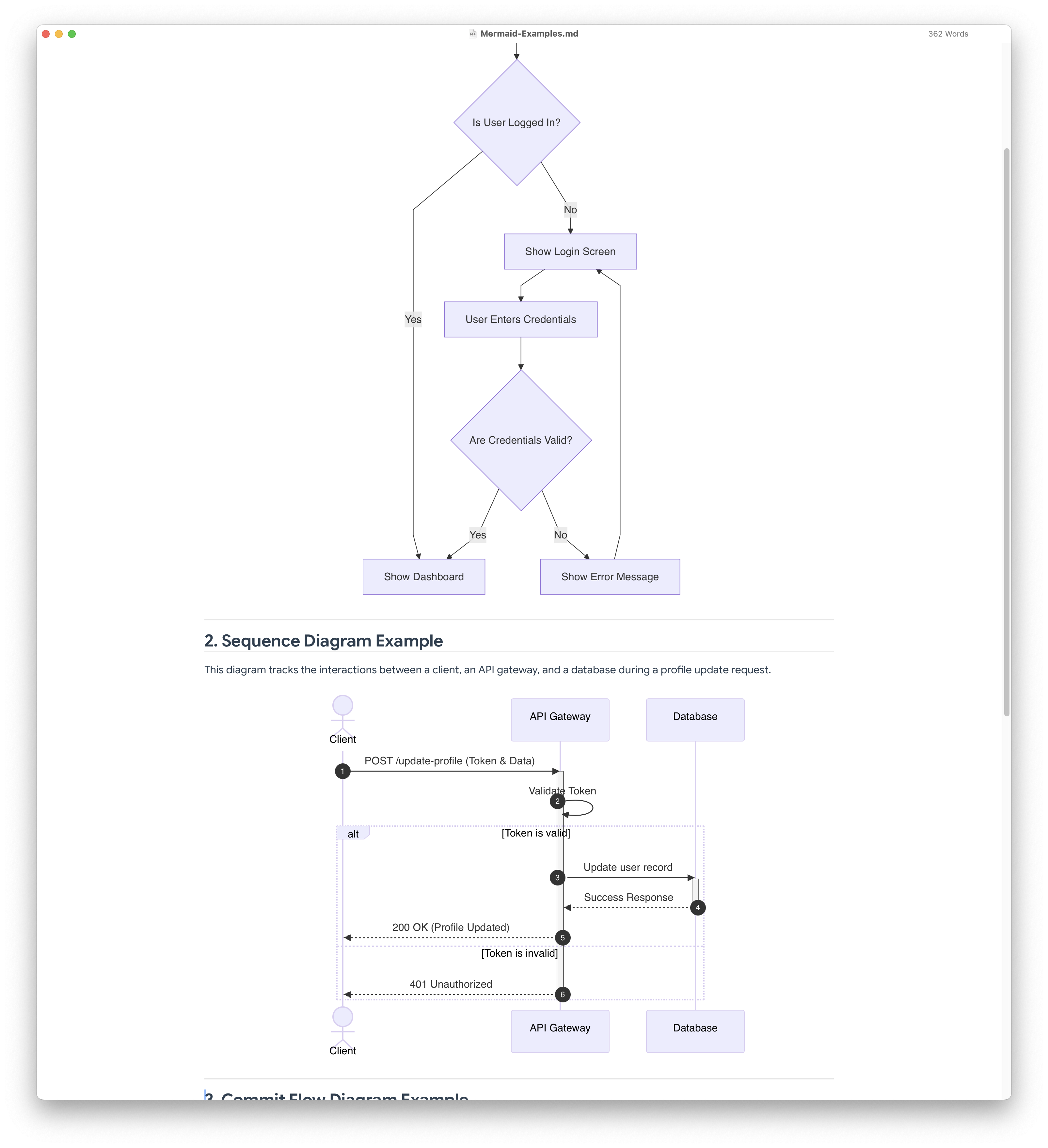
The site https://mermaid.ai/open-source/intro/ has a number of examples. Below is an example Markdown text file with formatting hints.
## 1. Flowchart Example

The following flowchart shows a typical user login and authentication decision tree. It uses a Top-to-Bottom (`TD`) layout.

```mermaid
flowchart TD
    A[User Opens App] --> B{Is User Logged In?}
    B -- Yes --> C[Show Dashboard]
    B -- No --> D[Show Login Screen]

    D --> E[User Enters Credentials]
    E --> F{Are Credentials Valid?}

    F -- Yes --> C
    F -- No --> G[Show Error Message]
    G --> D
```

---

## 2. Sequence Diagram Example

This diagram tracks the interactions between a client, an API gateway, and a database during a profile update request.

```mermaid
sequenceDiagram
    autonumber
    actor Client
    participant API as API Gateway
    participant DB as Database

    Client->>API: POST /update-profile (Token & Data)
    activate API
    API->>API: Validate Token

    alt Token is valid
        API->>DB: Update user record
        activate DB
        DB-->>API: Success Response
        deactivate DB
        API-->>Client: 200 OK (Profile Updated)
    else Token is invalid
        API-->>Client: 401 Unauthorized
    end
    deactivate API
```

---

## 3. Commit Flow Diagram Example

```mermaid
gitGraph:
    commit "Ashish"
    branch newbranch
    checkout newbranch
    commit id:"1111"
    commit tag:"test"
    checkout main
    commit type: HIGHLIGHT
    commit
    merge newbranch
    commit
    branch b2
    commit
```

------

## 4. Gantt Diagram Example

```mermaid
gantt
    dateFormat  YYYY-MM-DD
    title       Adding GANTT diagram functionality to mermaid
    excludes    weekends
    %% (`excludes` accepts specific dates in YYYY-MM-DD format, days of the week ("sunday") or "weekends", but not the word "weekdays".)

    section A section
    Completed task            :done,    des1, 2014-01-06,2014-01-08
    Active task               :active,  des2, 2014-01-09, 3d
    Future task               :         des3, after des2, 5d
    Future task2              :         des4, after des3, 5d

    section Critical tasks
    Completed task in the critical line :crit, done, 2014-01-06,24h
    Implement parser and jison          :crit, done, after des1, 2d
    Create tests for parser             :crit, active, 3d
    Future task in critical line        :crit, 5d
    Create tests for renderer           :2d
    Add to mermaid                      :until isadded
    Functionality added                 :milestone, isadded, 2014-01-25, 0d

    section Documentation
    Describe gantt syntax               :active, a1, after des1, 3d
    Add gantt diagram to demo page      :after a1  , 20h
    Add another diagram to demo page    :doc1, after a1  , 48h

    section Last section
    Describe gantt syntax               :after doc1, 3d
    Add gantt diagram to demo page      :20h
    Add another diagram to demo page    :48h

```

See the [Mermaid documentation](https://mermaid.ai/open-source/intro/) for more information.
There’s a number of sites that have information and tutorials on Markdown (e.g. https://www.markdownguide.org/getting-started/ or https://docs.github.com/en/get-started/writing-on-github/getting-started-with-writing-and-formatting-on-github/basic-writing-and-formatting-syntax).
Typora is just one of several Markdown editors. Some IDEs even include Markdown support either via plug-ins/extensions or via built-in features. Check the manual of your favorite IDE to see if Markdown is supported.
Note: Some of these examples are from sites like Mermaid AI or are from searches on Google Search.
Update: You might also be interested in this Markdown editor that’s similar: MarkText. It’s open-source and has many features.